
For teachers
Leave every lesson with a plan students can follow.
Set the passage, give a few clear steps, then respond to shared work as practice unfolds.
See how assignments workFor independent music teachers
Set the week’s practice. Hear the takes your students share. Reply with comments and markings on the score, where they’ll see them next time they play.
TODO(founder): confirm the site lead’s interim web font. Current draft uses the existing Segoe UI/system fallback.
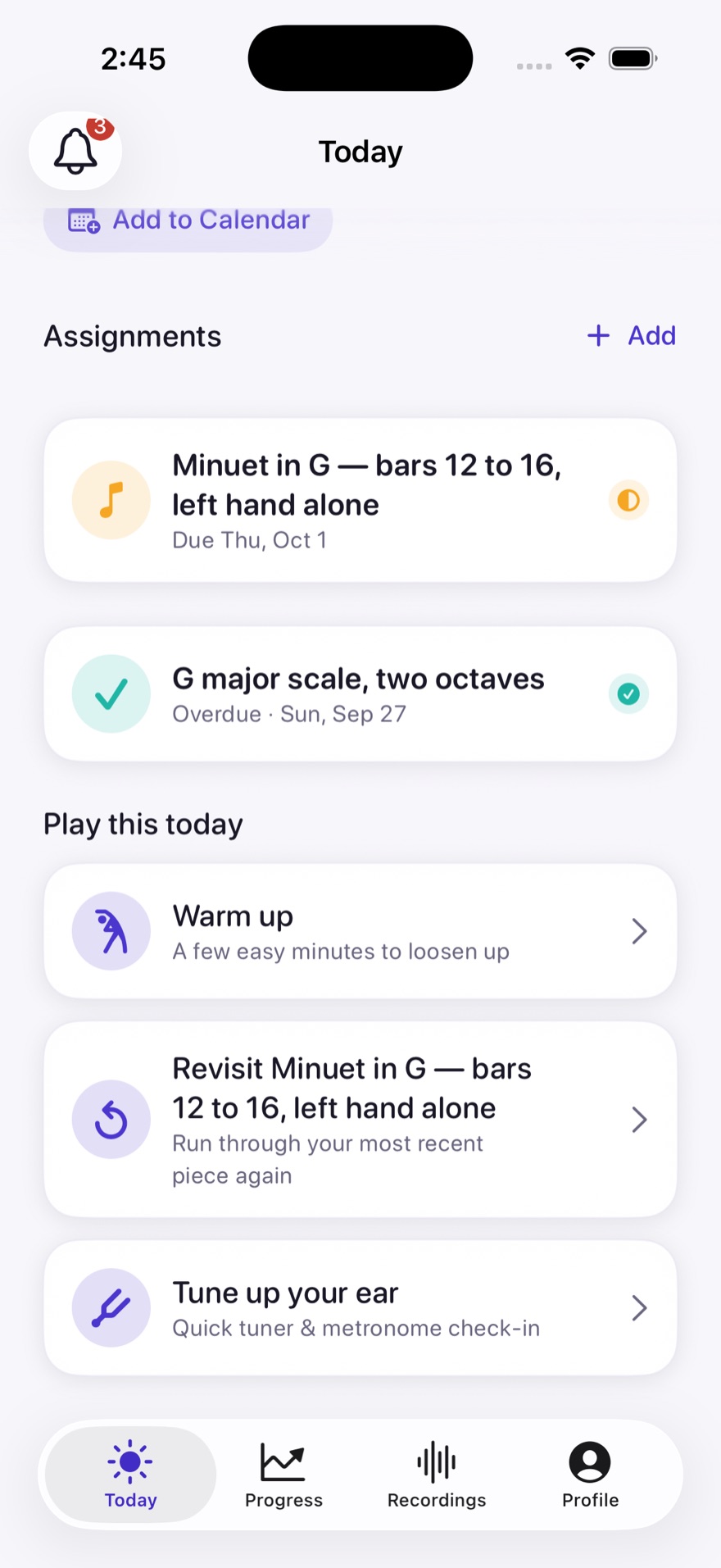
One practice week. Three wins.
For teachers
Set the passage, give a few clear steps, then respond to shared work as practice unfolds.
See how assignments workFor students
Keep the teacher’s instruction beside the passage, and share a take when you’re ready.
See guided practiceFor parents
Ask your child to show the practice plan and help make time for one clear next step.
Read about privacy and the beta01 / Assignment
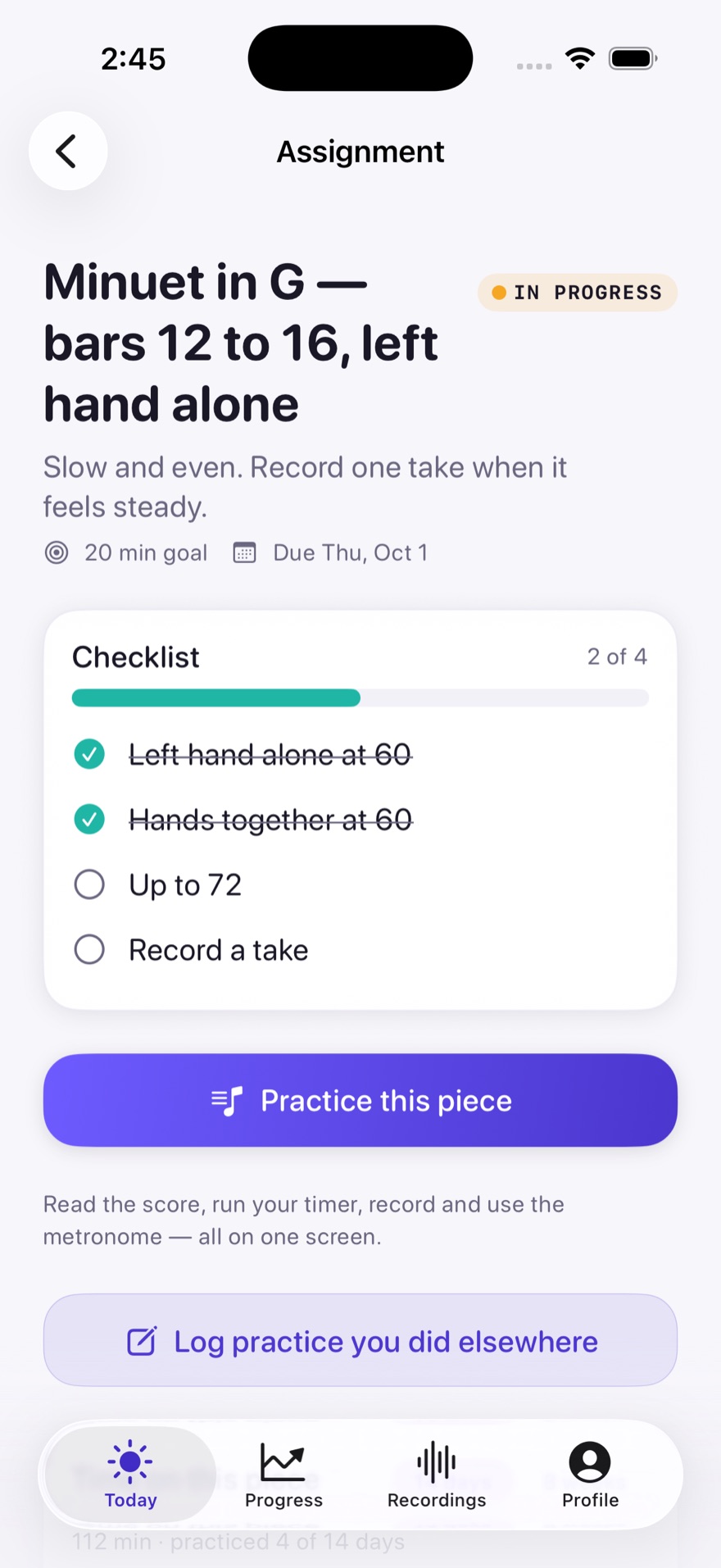
Assign a piece with practice steps and a daily target. Attach sheet music scans, PDFs and YouTube reference links. Students open Today and know where to begin.
02 / Practice
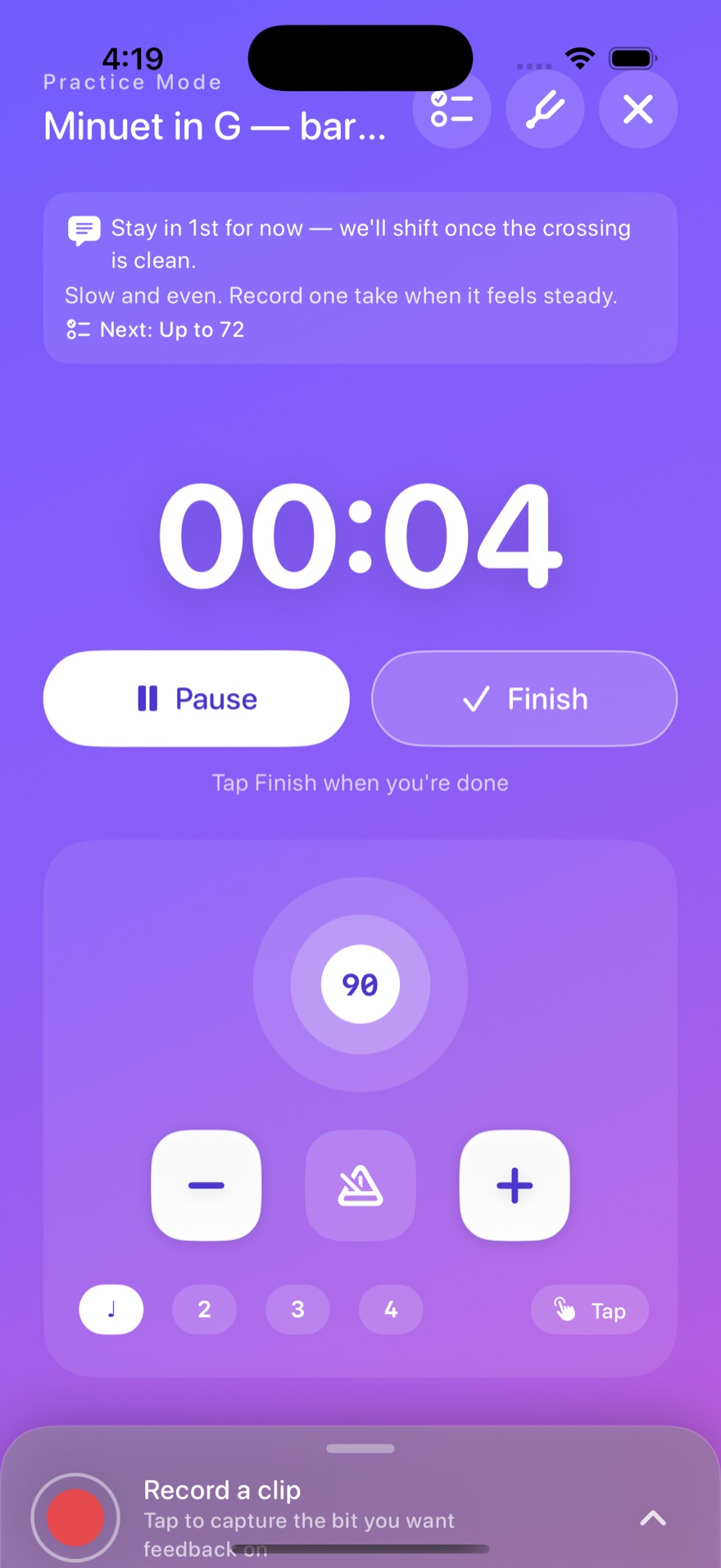
Practice with the score in front of you, a built-in metronome and tuner. The screen stays awake on a stand, and practice time is tracked.
03 / Recording
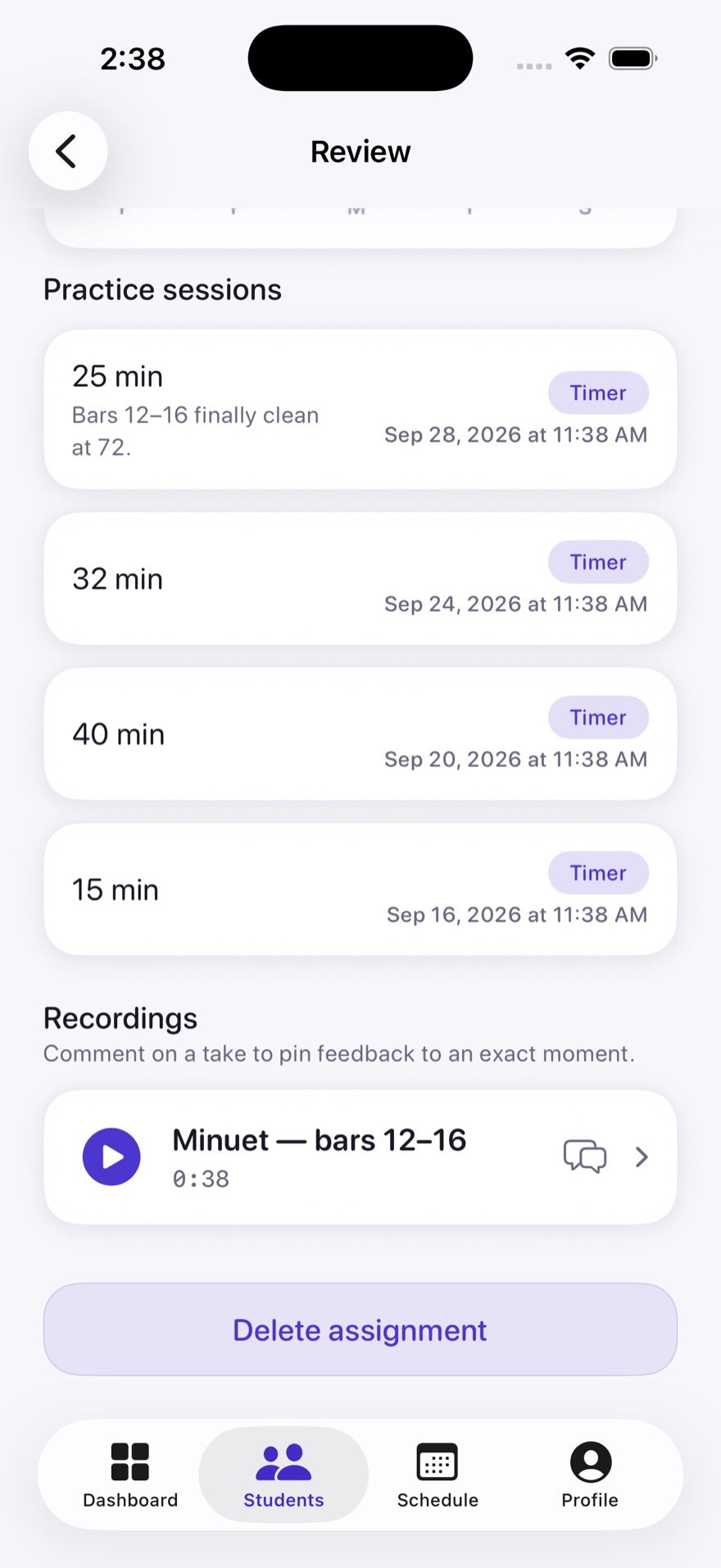
Record a take with a live timer and waveform. Play it back, keep it, or share it privately with your teacher. Teachers listen and see practice time for each piece.
04 / Review and mark
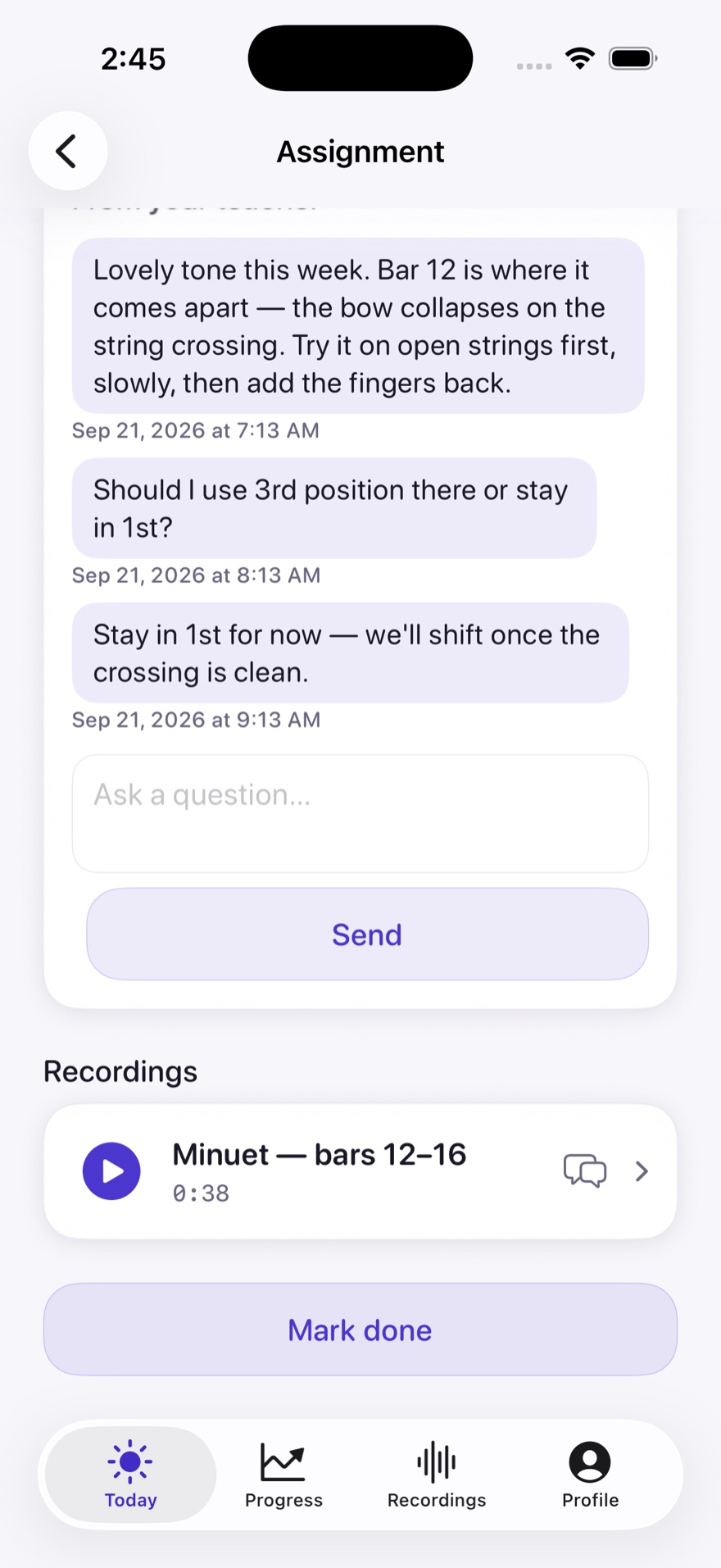
Listen to the shared take. Leave a comment about the piece or recording, then draw directly on the student’s sheet music. Your markings stay on a separate layer from theirs.
The student’s own markings.
TODO(founder): current screenshot of a bar with student markings.
Your guidance on the same bar.
TODO(founder): the same bar with teacher markings.
Two layers, together on the score.
TODO(founder): the same bar with both layers visible.
Students switch between Mine, Teacher and Both as they practice. Your feedback is there when they return to the score.
05 / Next practice
Return to the teacher’s advice with a clear next step. Your sessions, notes and shared takes help prepare the next lesson.
For students
Open Today for the day’s practice. Keep the score, metronome, tuner and recorder close. Add your own pieces from a scan, PDF or YouTube link, alongside your teacher’s assignments.
Your linked teacher can see your own pieces read-only, and Prova tells you so.
For parents
Ask your student to show you Today, and help make time for practice. Takes are private unless shared with the teacher. Report and block tools are available in the app.
The beta is for students 13 and older. Students and parents never pay.
Your studio, connected
For independent studios. Invite students by link or code, approve their requests, and start with one clear assignment.
Join the betaTeachers start a studio. Email us to ask about beta access, then create a studio and share a invite code.
Students join with the code. Your teacher approves your request.
Begin with one clear assignment. Practice, share a take when you’re ready, and keep the next step close.
Takes are private unless shared with the teacher. A linked teacher can also see pieces the student adds for themselves, read-only. Prova tells students that their teacher can see those pieces.
The beta is for ages 13 and up. Younger students cannot join this beta.
Free during the beta. When pricing arrives, teachers pay; students and parents never do.
Independent music teachers and their students. The beta is for students 13 and older.
iPhone and iPad first. The beta starts on TestFlight, with the App Store to follow.
Your practice time per piece, takes you share, and your own pieces read-only. Takes stay private unless shared with your teacher.
Email [email protected] to ask about access. Students join their teacher by invite link or code and wait for approval.
TODO(founder): confirm the final beta signup mechanism. Email is the interim contact.